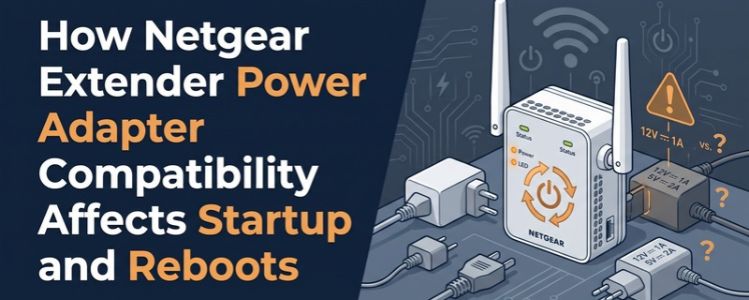
A WiFi extender requires a stable power supply to start correctly, maintain wireless connections, and operate continuously. When an extender repeatedly restarts, fails to power on, or displays unusual LED behavior, the problem may not always be related to its firmware or network configuration. An incompatible or damaged power adapter can also interrupt normal operation. Understanding adapter specifications and power requirements can help users troubleshoot startup problems before accessing configuration settings through mywifiext.local or 192.168.1.250.
A power adapter converts electrical power from a wall outlet into the voltage and current required by an electronic device. NETGEAR extenders are designed to operate with specific power requirements. These requirements vary by model, so an adapter that works with one extender may not necessarily be suitable for another.
Using an incompatible adapter can cause insufficient power delivery, unstable operation, or potential hardware damage. Before replacing an adapter, users should check the electrical specifications printed on the original adapter and the extender itself.
Several electrical characteristics determine whether an adapter is suitable for a particular extender.
Voltage is one of the most important compatibility requirements. The replacement adapter must provide the exact output voltage specified for the extender.
Using an adapter with an incorrect voltage can prevent startup or damage internal electronic components.
The adapter’s current rating indicates the maximum current it can supply. A replacement adapter should meet or exceed the device’s specified current requirement while maintaining the correct voltage and polarity. An adapter with an insufficient current rating may struggle to provide stable power during operation.
The physical connector must fit the extender’s power input correctly. A connector that is too loose may cause intermittent electrical contact, while an unsuitable connector may not fit safely.
The positive and negative terminal arrangement must match the extender’s requirements. Incorrect polarity can damage the device, even when the voltage rating appears correct.
Poor-quality or uncertified adapters may deliver unstable output or lack adequate electrical protection. Choosing an approved replacement or a verified compatible adapter is safer than selecting one based only on connector appearance.
A power-related issue can produce several noticeable symptoms.
These symptoms can also result from hardware faults, overheating, firmware problems, or damaged electrical outlets. Power adapter compatibility should be investigated rather than assumed to be the only cause.
Before attempting network troubleshooting, inspect the power connection carefully.
Do not open the adapter or attempt internal electrical repairs. If the extender becomes unusually hot, produces a burning smell, or shows signs of electrical damage, disconnect it and seek qualified assistance.
Once the power supply is stable and the extender completes startup, users can review its network configuration. During setup, mywifiext.local may provide access to the extender’s local administration page when the device and computer or mobile device are connected to the appropriate network.
The address 192.168.1.250 is a commonly used default local management address for certain NETGEAR extender models. However, the actual address may differ depending on the model, firmware, and network configuration. General access steps include:
A powered-off or repeatedly restarting extender will not reliably provide access to its administration page. Resolve the power problem before investigating browser or network settings.
If the extender continues restarting after verifying adapter compatibility, consider these additional checks.
To reduce power-related problems, always use the recommended adapter, avoid forcing connectors into the power port, and keep the extender properly ventilated.
During mywifiext.local configuration, make network changes only after the extender has completed startup. If 192.168.1.250 does not open the administration page, verify the correct management address for your particular model rather than repeatedly attempting unrelated network changes.
Power adapter compatibility plays an important role in the startup stability and long-term operation of a NETGEAR WiFi extender. Incorrect voltage, insufficient current capacity, unsuitable connector dimensions, or mismatched polarity can contribute to startup failures and unexpected reboots.
Before troubleshooting mywifiext.local or 192.168.1.250 access problems, verify that the extender receives the correct and stable power supply. Using a compatible adapter and following model-specific setup instructions can help maintain reliable extender operation.
